

Image
Photo Booth
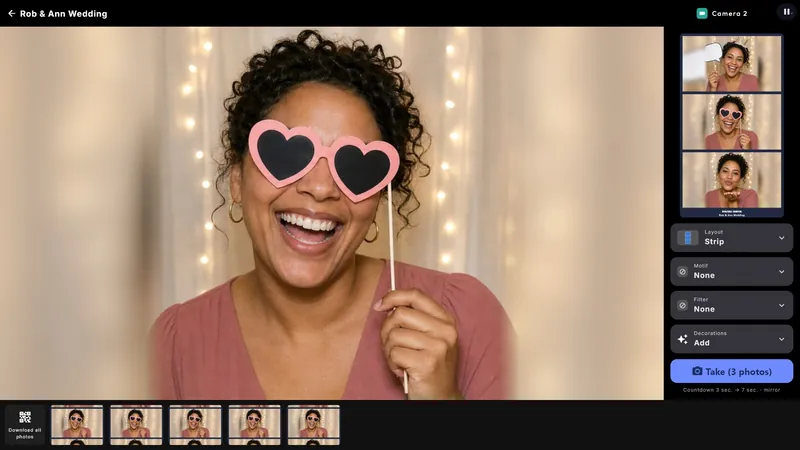
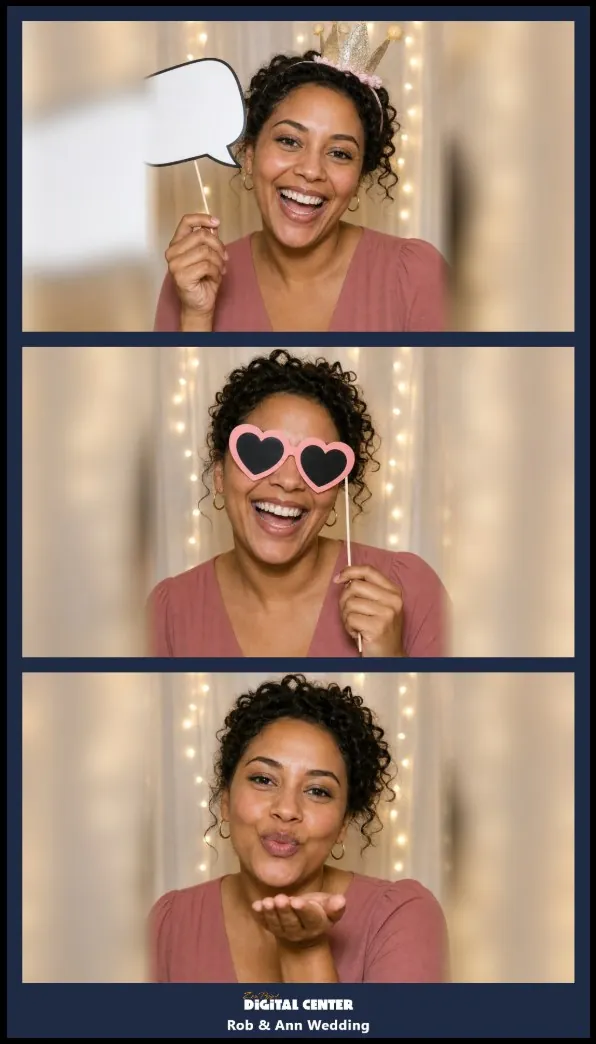
The Photo Booth center turns the screen into a party photo booth. With a webcam, countdown and several layouts (single, double, strip, 2x2 grid, polaroid), guests take fun pictures with foreground overlays like frames, hearts, stars, confetti, balloons and neon. The pictures can be shared directly to the phone via a QR code, and you can choose portrait or landscape with rotation.
Included in: Every edition - Room, Home and Professional.
A closer look
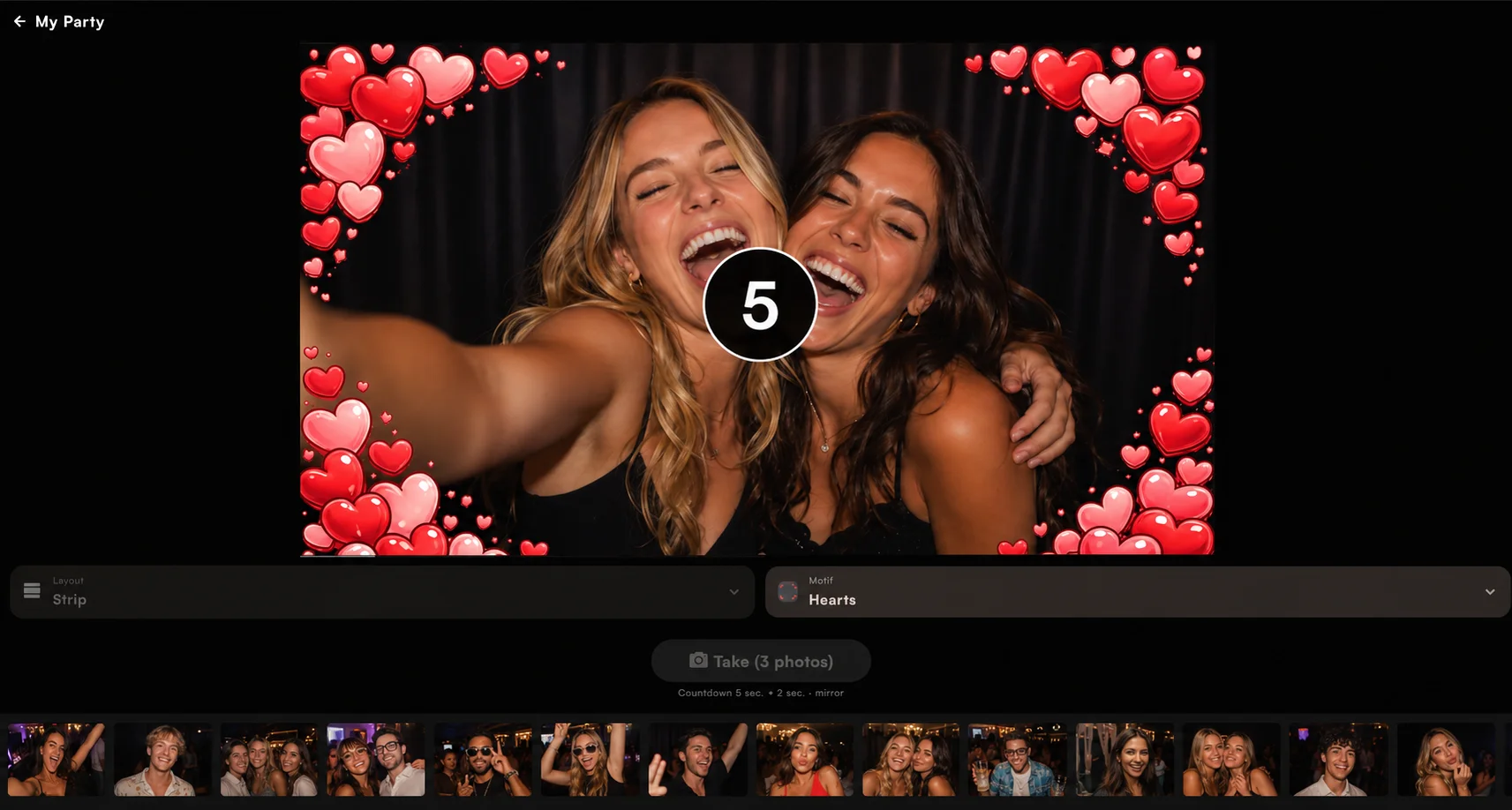
Countdown, layouts and overlays
Choose the camera - if the machine has more than one - and press Take; the system counts down before it snaps, so everyone has time to strike a pose. Pick a layout (a single shot, two side by side, a classic strip, a 2x2 grid or a polaroid) and a foreground motif such as a gold frame, hearts, stars or confetti. Mount the screen in portrait or landscape; the picture rotates to match.

Guests take the picture home
After the shot a QR code can appear so guests grab the picture on their own phone over the Wi-Fi - no app, no email, no cable. The pictures collect in a gallery along the bottom of the screen; tap one to show it large with its own QR code. On a second screen the photo booth pictures can run as a live wall for everyone to enjoy.
Highlights
- Countdown before every shot, so everyone can pose
- Layouts for every mood: single, double, strip, 2x2 grid or polaroid
- Fun overlays - frames, hearts, stars, confetti, balloons and neon
- Guests grab their picture by QR code, no app or email
- The evening's shots collect in a gallery on the screen
- Show any picture large with its own QR code
- Run the pictures as a live wall on a second screen
- Pick which webcam to use when there is more than one
- Mount the screen in portrait or landscape - the picture rotates to match
- Sharing runs over your own Wi-Fi, nothing installed on the phone
More screenshots

Frequently asked questions
What do I need to run the photo booth?
A Windows PC, a screen and a webcam. If the machine has more than one camera, you choose which one the photo booth uses.
How do guests get their picture?
A QR code appears after the shot, and guests scan it to open the picture on their own phone over the same Wi-Fi. Nothing is installed on the phone, and the pictures also collect in a gallery on the screen.
Where are the pictures saved?
In the folder you choose for the Photo Booth. Unlike the other centers, that folder is not a library you bring with you - it is simply where the pictures the booth takes are kept.
What layouts and effects can guests choose?
Pick a single shot, two side by side, a classic strip, a 2x2 grid or a polaroid, then add a foreground motif such as a gold frame, hearts, stars, balloons, confetti or neon.
Can I show the pictures on a second screen?
Yes. On a second screen the photo booth pictures can run as a live wall, so everyone can watch the shots appear as they are taken.
Can I use it on a portrait screen?
Yes. Mount the screen in portrait or landscape and the picture rotates to match, so a tall booth screen works just as well as a wide one.
Other centers
Audio
Music
Play your whole music collection - MP3, FLAC and more - with a living audio visualizer and album art.
See details
Audio
Karaoke
Full-screen karaoke with a bouncing ball and word-by-word coloring.
See details
Video
Movies
Movie library as a cover wall with posters and details filled in automatically.
See details
Video
Video
Your music videos as a cover gallery, with living thumbnails.
See details