

ZenPoint Media Manager
The workshop that comes with Digital Center. Turn any MP3 into a real sing-along track, fine-tune the timing word by word, and keep every title, cover and tag in perfect order - all from one place.
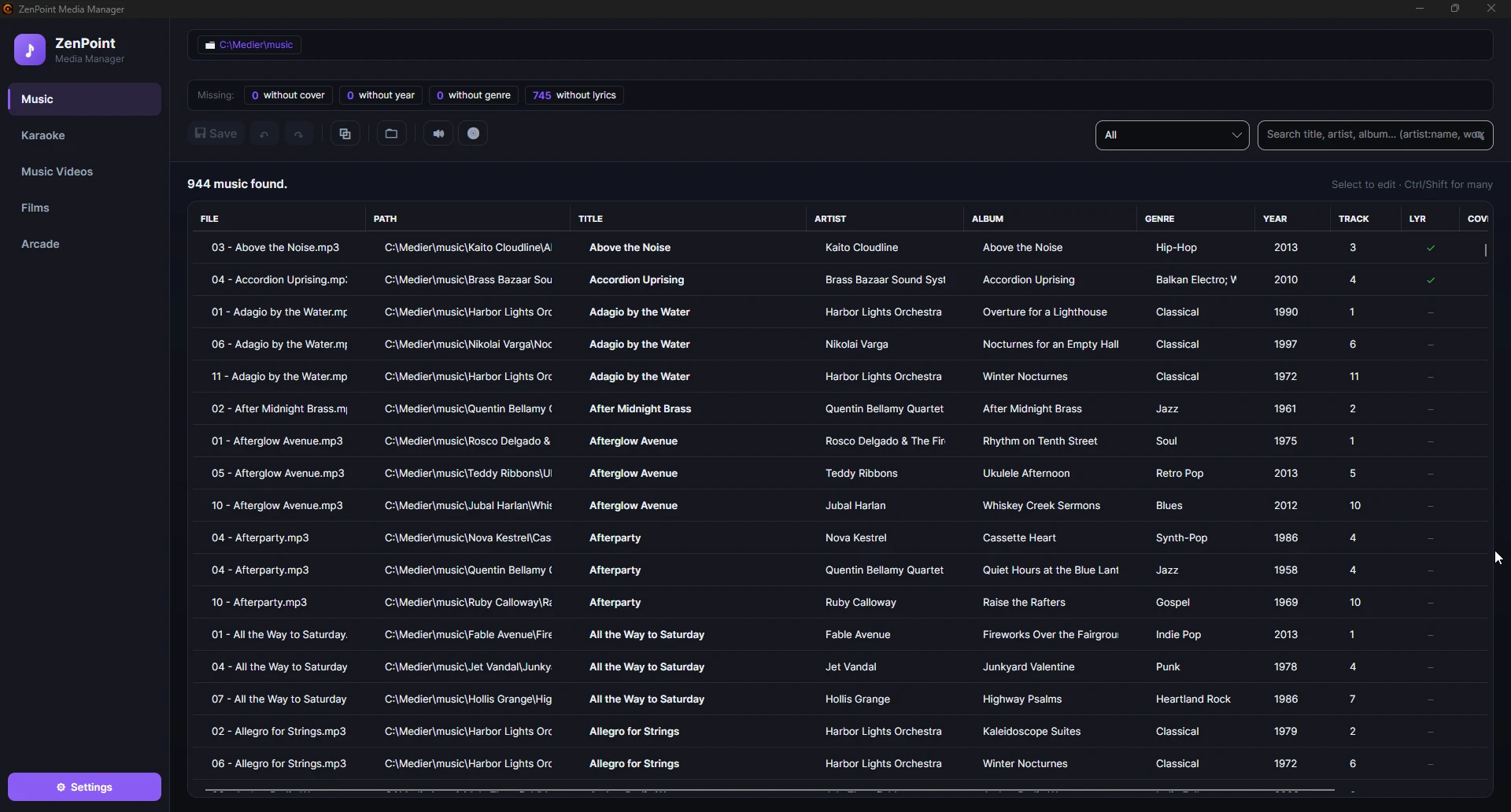
One place to prepare your whole collection
Digital Center plays your content; ZenPoint Media Manager is where you get it ready. It is installed together with Digital Center and included free with Home and Professional, so there is nothing extra to buy. Whatever you change here shows up on the big screen automatically, usually within moments.
Three things it does best
Karaoke from any MP3
Word-perfect timing editor
All your metadata in one place
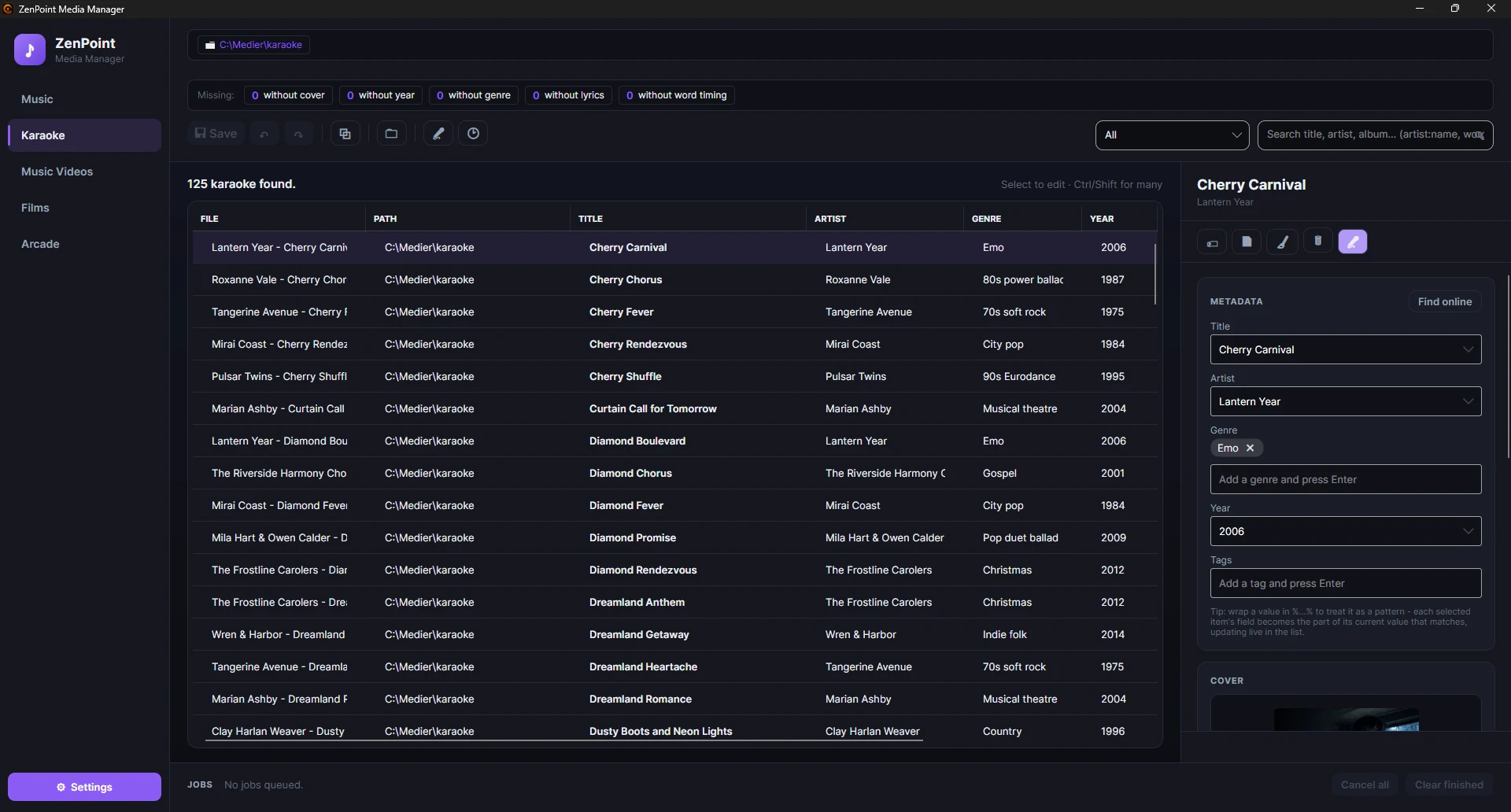
Make your own karaoke from any MP3
You do not need special karaoke files. Start from an ordinary MP3, and Media Manager prepares everything needed to sing along - all running quietly in the background while you keep working. A one-time, one-click setup downloads the karaoke tools the first time you need them.
Remove the vocals
Choose a song and start Remove vocals. Media Manager creates an instrumental version alongside the original, leaving your file untouched - so the singer can switch between original and instrumental live while the song plays. Do one song, or every song still missing an instrumental in one batch.
Create word-by-word timing
Start Create word timing on a song that already has its lyrics. The program listens to the singing, works out exactly when each word is sung, and writes that timing back into the song - giving you the classic bouncing ball that hops from word to word.
Looking for a complete karaoke system? See our karaoke software for Windows.
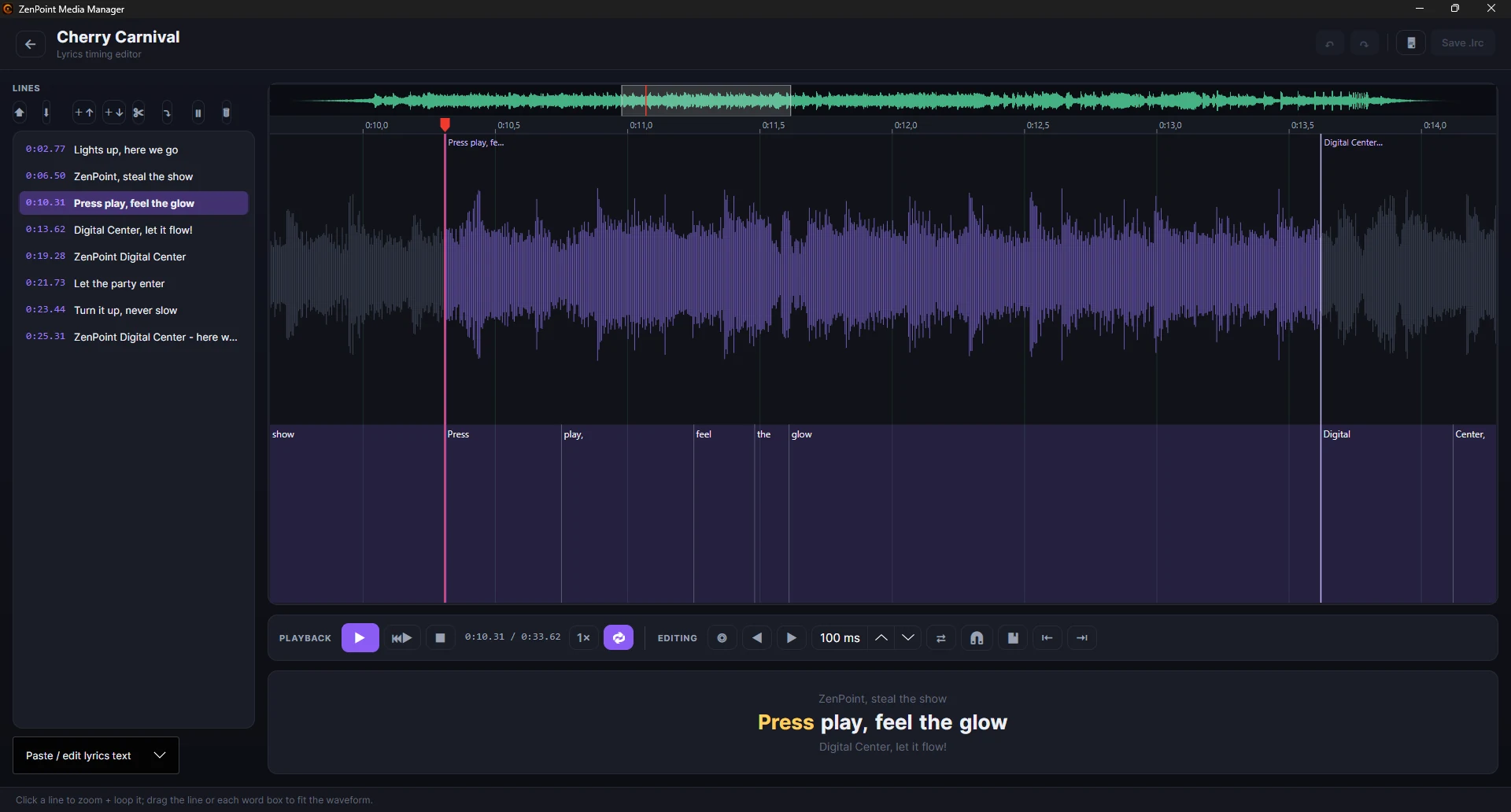
Fine-tune every word in the timing editor
Want a song to be perfect? Open the timing editor. It shows the song as a waveform with the words laid out along it, with a small overview strip and the red playhead, so you can shape the timing by eye and by ear. Every change can be undone, and the editor offers to save before you close.
- Play and loop the line you are working on, so you hear it over and over while you adjust
- Drag the edges of a word to make it start or end a touch earlier or later
- Tap along to the beat, nudge words a hair in either direction, and split a word in two
- Zoom and scroll smoothly, with an overview strip and bookmarks to jump back to tricky spots
- Insert a pause so the screen goes blank during long instrumental breaks
- A quiet check flags lines out of order or overlapping - as advice only, never blocking your save
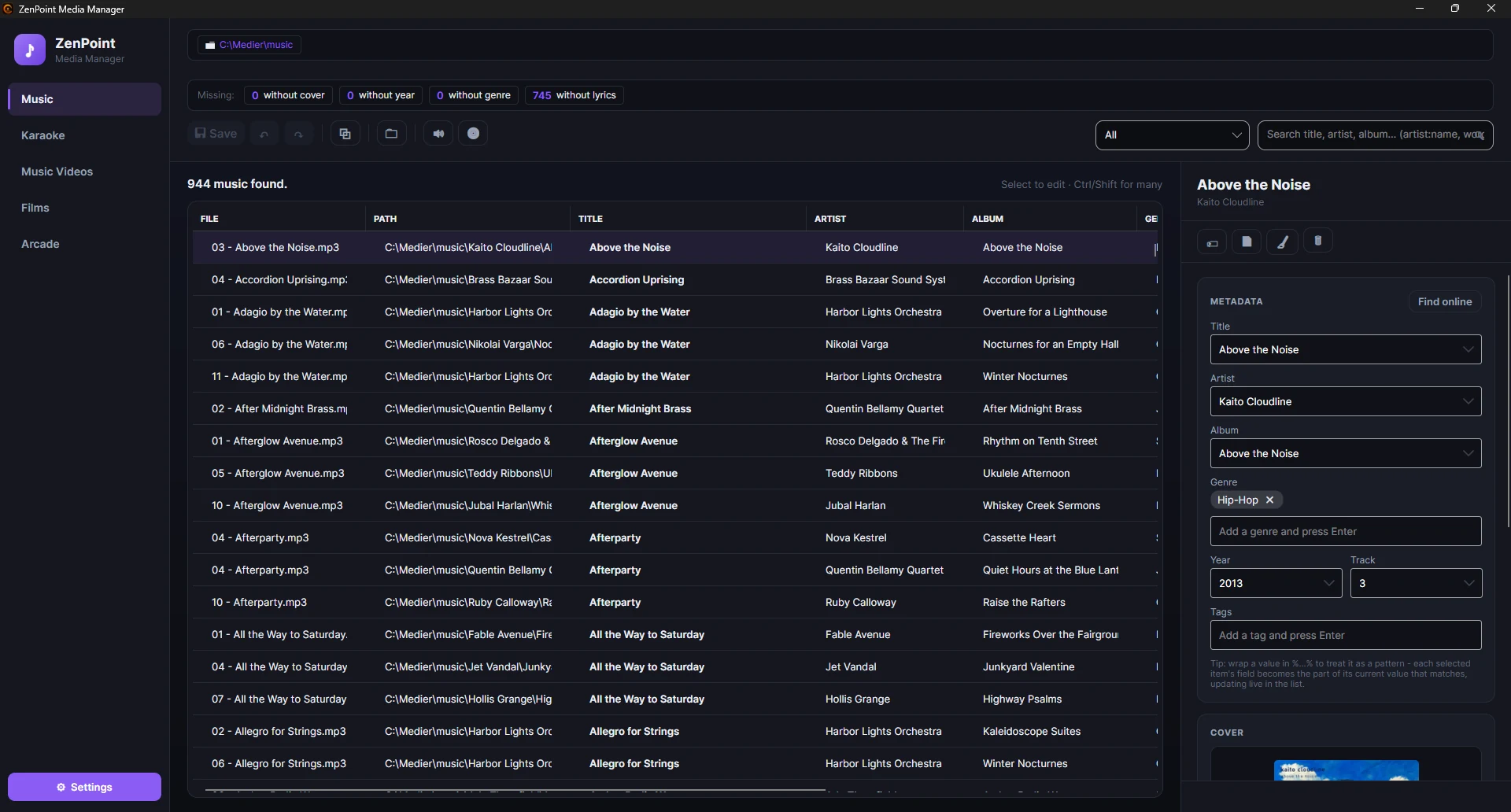
Manage all your metadata and tags in one place
Select an item and its details appear in the panel on the right - title, artist, album, genre, year and cover. Change anything you like, one item or many at once, and your edits are written only when you press Save, so you can review, undo and redo freely first.
Cover art the easy way
Look up missing details online
Your own keywords - tags
Tidy up in bulk
It is already in the box
ZenPoint Media Manager installs together with Digital Center and is included with Home and Professional. Download the free 7-day trial and prepare your first karaoke song today.