

Photo booth
Photo Booth Software for Windows
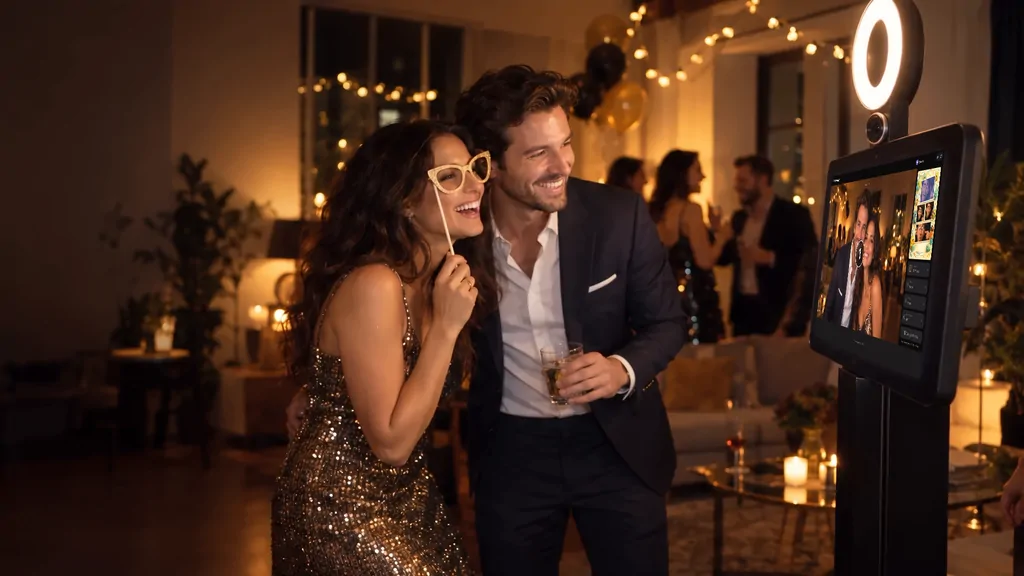
A webcam, a screen and a countdown. Guests take their picture home on their phone, or print it.
- Free 7-day trial
- Photos to the phone by QR code
- Software for Windows 10/11
How it works
Turn any Windows PC and a webcam into a party photo booth. Guests strike a pose, pick a fun layout, and get their picture straight to their phone by scanning a QR code. It is one of the thirteen centers built into Digital Center.
Digital Center includes a built-in Photo Booth that turns a screen and a webcam into a party photo booth. A countdown gets everyone ready, guests choose from layouts like a single shot, a strip, a 2x2 grid or a polaroid, and playful overlays - frames, hearts, stars, confetti, balloons and neon - make each picture fun. The finished photo is shared to the guest's phone through a QR code, and the whole booth runs in portrait or landscape to fit your screen.
Fun layouts and overlays
Share to the phone with a QR code
Countdown, layouts and overlays
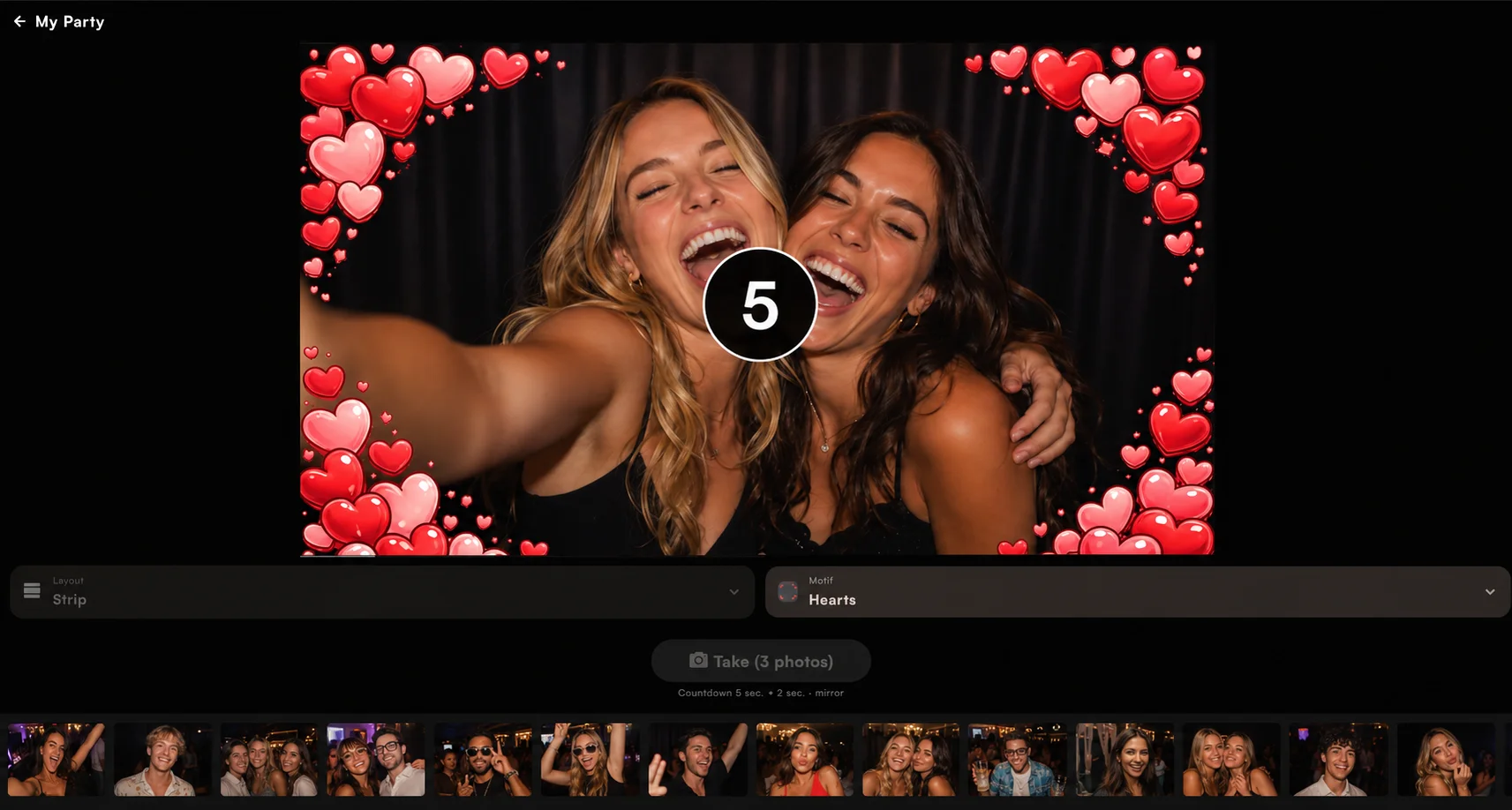
Choose the camera - if the machine has more than one - and press Take; the system counts down before it snaps, so everyone has time to strike a pose. Pick a layout (a single shot, two side by side, a classic strip, a 2x2 grid or a polaroid) and a foreground motif such as a gold frame, hearts, stars or confetti. Mount the screen in portrait or landscape; the picture rotates to match.

Guests take the picture home
After the shot a QR code can appear so guests grab the picture on their own phone over the Wi-Fi - no app, no email, no cable. The pictures collect in a gallery along the bottom of the screen; tap one to show it large with its own QR code. On a second screen the photo booth pictures can run as a live wall for everyone to enjoy.
Perfect for
House parties
Weddings & events
Bars & cafes
Rental setups
Frequently asked questions
What do I need to run the photo booth?
A Windows PC, a screen and a webcam. If the machine has more than one camera, you choose which one the photo booth uses.
How do guests get their picture?
A QR code appears after the shot, and guests scan it to open the picture on their own phone over the same Wi-Fi. Nothing is installed on the phone, and the pictures also collect in a gallery on the screen.
What layouts and effects can guests choose?
Pick a single shot, two side by side, a classic strip, a 2x2 grid or a polaroid, then add a foreground motif such as a gold frame, hearts, stars, balloons, confetti or neon.
Can I show the pictures on a second screen?
Yes. On a second screen the photo booth pictures can run as a live wall, so everyone can watch the shots appear as they are taken.
Can I use it on a portrait screen?
Yes. Mount the screen in portrait or landscape and the picture rotates to match, so a tall booth screen works just as well as a wide one.
Ready to set up your photo booth?
Download the free 7-day trial and turn your PC and webcam into a party photo booth today.