


Image
Photos
Hierarchical photo browser with a slideshow and adjustable interval.
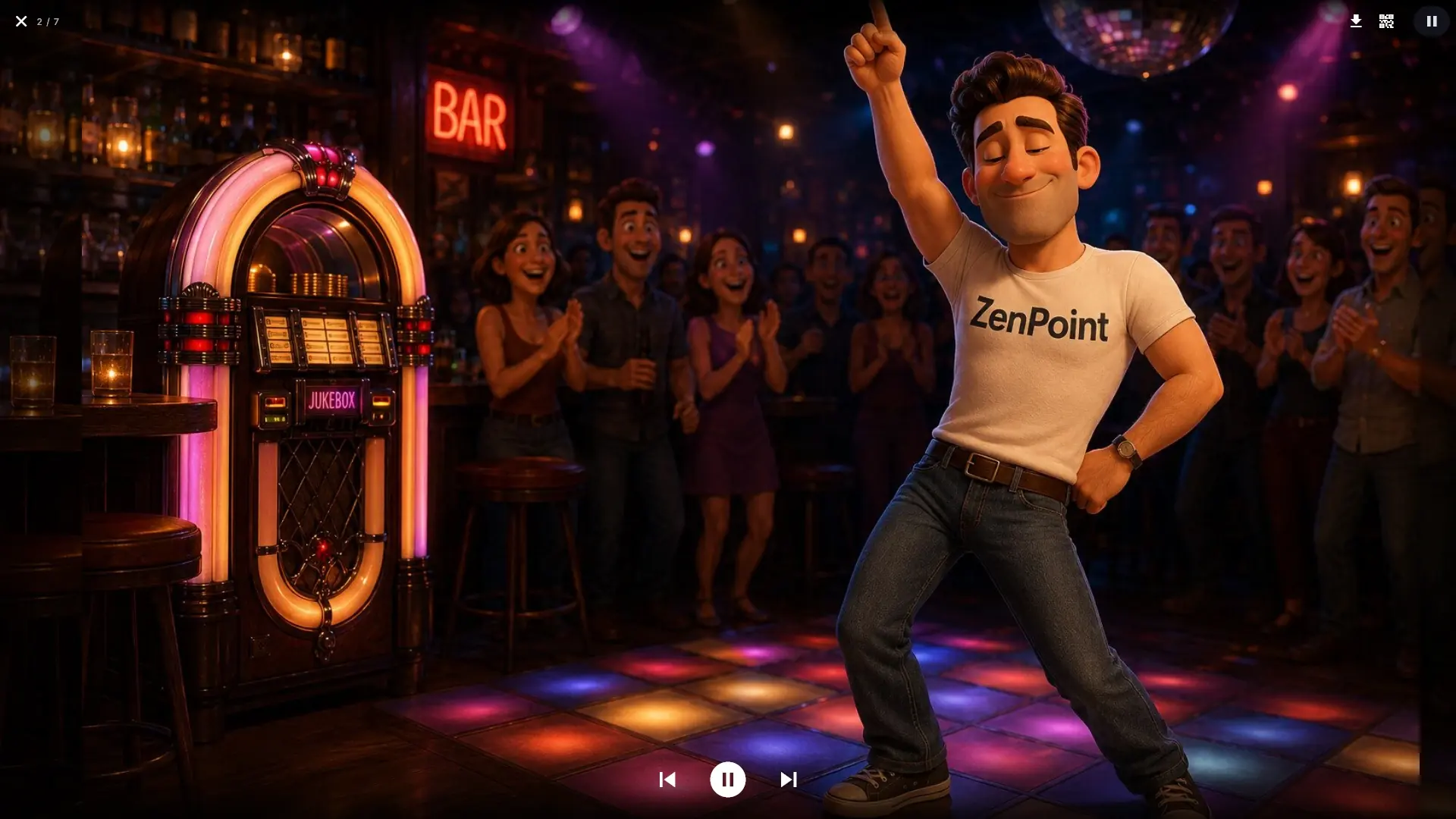
The Photos center lets you browse your pictures in a hierarchical folder structure and start a slideshow with an adjustable interval. Perfect for showing holiday photos on the big screen or running an atmospheric slideshow in the background at the party.
Included in: Both editions - Professional and Room.
A closer look
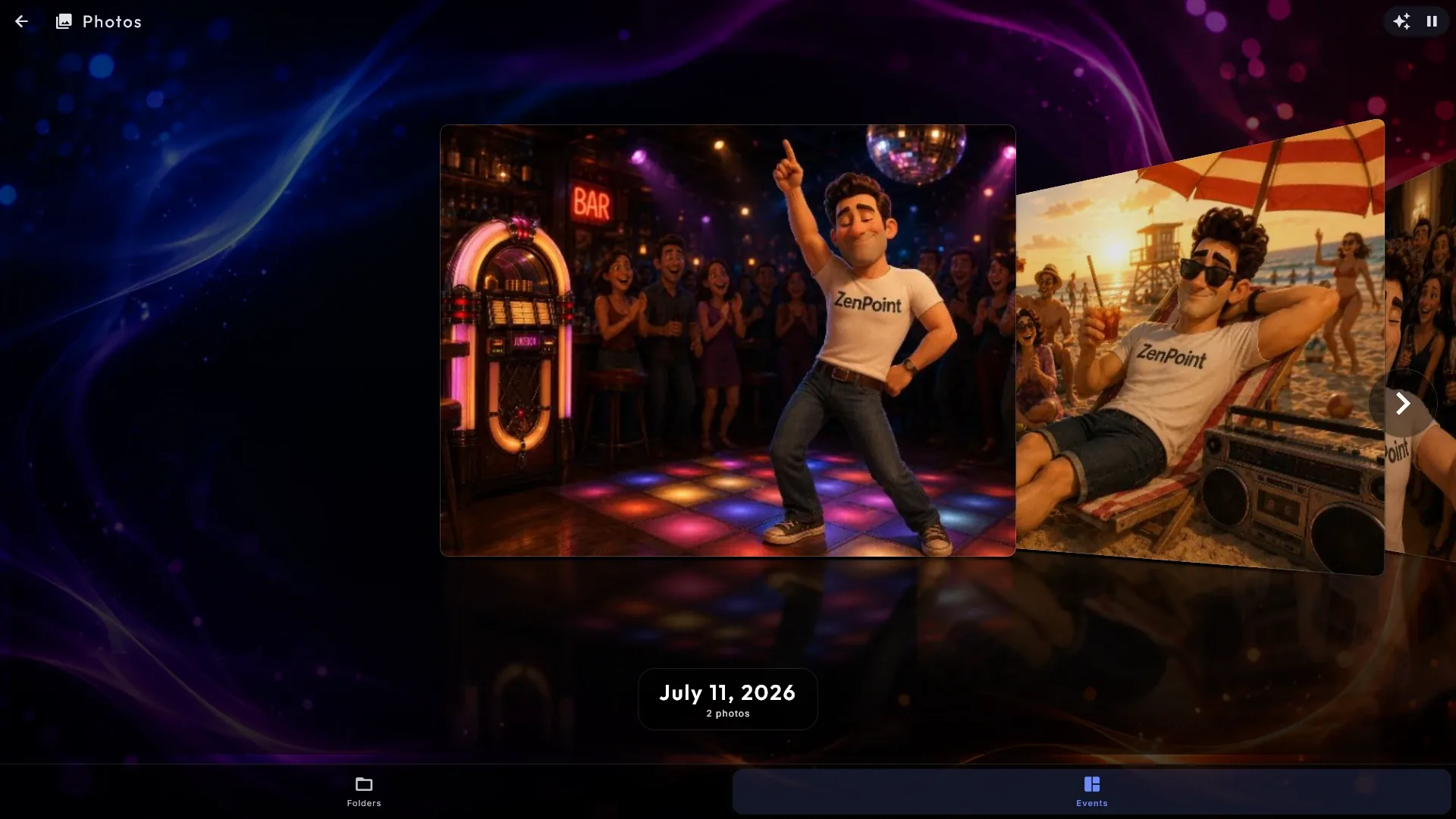
Folders - or the events themselves
Two tabs sit at the top of the Photos center. Folders lets you browse your pictures folder by folder, exactly as they are stored on the disk. Events does the sorting for you and groups the pictures automatically by when they were taken, so last summer's holiday appears as one collection without you moving a single file.

A slideshow that gently moves
The slideshow zooms and pans each picture slowly and crossfades between them, so a wall of holiday photos becomes something worth looking at rather than a stack of stills. Press Start slideshow or tap a picture, pause it, step back and forward, and double-tap a picture to zoom in. The share button shows a picture large with a QR code, so anyone on the same network can open it on their phone.
Highlights
- Browse by folder, or let Events group photos by date for you
- A slideshow that gently zooms, pans and crossfades
- Adjustable interval between pictures
- Pause, step back and forward, and double-tap to zoom in
- Share any photo large with a QR code
- Guests open a picture on their phone over the same network
- Run a photo slideshow on a second screen
- Plays straight from your PC or a network drive - nothing to copy
- New pictures show up on their own
- Shown large in full screen, perfect for holiday photos
Frequently asked questions
How do my pictures get in?
You point the Photos center at the folders where your pictures already live, on the PC or on a network drive. Nothing is copied or imported, and new pictures show up on their own.
Can I show photos on a second screen?
Yes. An extra display screen can be set to run a photo slideshow of its own while the main screen is used for something else - so the pictures keep running in the background at the party.
Can guests get a picture on their phone?
Yes. The share button shows a picture large together with a QR code, and anyone on the same network can scan it to view or grab the picture.
How does the Events tab work?
The Events tab groups your pictures automatically by when they were taken, so last summer's holiday appears as one collection without you moving or renaming a single file.
Can I control the slideshow?
Yes. Start it or tap a picture, then pause, step back and forward, and double-tap a picture to zoom in. Each picture gently zooms, pans and crossfades into the next.
Can I change how long each picture is shown?
Yes. The slideshow interval is adjustable, so you can let each picture linger or move briskly from one to the next.
Which image files does the Photos center show?
It shows JPG, PNG, GIF, BMP, WEBP and TIFF pictures. Point it at your photo folders and the whole collection appears, ready for browsing and the slideshow.
Other centers

Audio
Music
Play your whole music collection - MP3, FLAC and more - with a living audio visualizer and album art.
See details
Audio
Karaoke
Full-screen karaoke with a bouncing ball and word-by-word coloring.
See details
Video
Movies
Movie library as a cover wall with posters and details filled in automatically.
See details
Video
Music Video
Your music videos as a cover gallery, with living thumbnails.
See details